Battery life plays a crucial role in the performance of your cordless vacuum cleaner. When the battery runs low, your cleaning efficiency takes a hit. Many users face frustration with their cordless vacuum battery life; around 18% report that their battery life worsens over time, and 10% find their batteries dying completely. You can take practical steps to extend the longevity of your vacuum’s battery and improve your cleaning experience.
Key Takeaways
Choose a cordless vacuum with a lithium-ion battery for longer run times and faster charging.
Avoid overcharging your vacuum battery to extend its lifespan; unplug it once fully charged.
Regularly clean your vacuum’s filters and empty the dustbin to maintain optimal performance and battery efficiency.
Battery Types
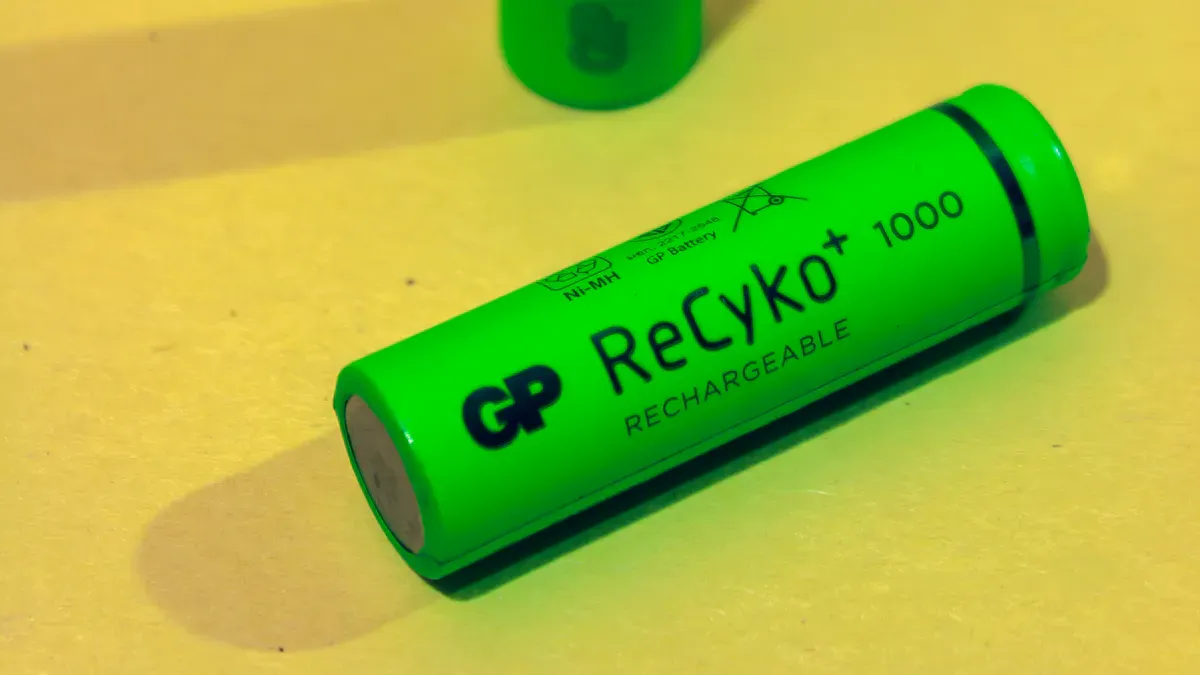
When it comes to cordless vacuum cleaners, the type of battery you have can make a big difference in performance. Let’s break down the two most common types: lithium-ion and nickel-cadmium.
Lithium-Ion vs. Nickel-Cadmium
Feature | Lithium-Ion | Nickel-Cadmium (NiCd) |
|---|---|---|
Run Time | 20-60 minutes per charge | Shorter run times |
Charging Speed | Quick recharging | Slower recharging |
Weight | Lightweight | Heavier |
Self-Discharge Rate | Low | Higher |
Environmental Impact | Less toxic | Toxic cadmium |
Lithium-ion batteries are the preferred choice for most modern cordless vacuums. They offer longer run times and charge faster than nickel-cadmium batteries. Plus, they’re lighter and less harmful to the environment. On the other hand, nickel-cadmium batteries tend to have shorter lifespans and can be heavier, which might not be ideal for your cleaning needs.
Capacity and Runtime
Battery capacity directly impacts how long your vacuum can run before needing a recharge. For example, the Bissell Air Ram 1984 boasts a runtime of 47 minutes due to its high-capacity battery. In contrast, the Kenmore 10340 only lasts about 15 minutes because it has a lower capacity.
Model | Runtime (minutes) | Battery Capacity (not specified) |
|---|---|---|
Bissell Air Ram 1984 | 47 | High |
Kenmore 10340 | 15 | Low |
Understanding these differences can help you choose the right cordless vacuum cleaner for your home. A vacuum with a lithium-ion battery and higher capacity will likely serve you better in the long run.
Charging Practices for Battery Life

Avoid Overcharging
To keep your cordless vacuum cleaner running smoothly, you must charge it correctly. One of the most important things you can do is to avoid overcharging. When you charge your vacuum battery above 4.20V per cell, it can significantly shorten its lifespan. In fact, maintaining charge levels below this threshold can double the cycle life of your battery! So, always unplug your vacuum once it’s fully charged to help extend its battery life.
Charge at Room Temperature
The temperature at which you charge your cordless vacuum cleaner also matters. Here are some best charging practices to follow:
The optimal charging temperature range is between 32°F to 113°F (0°C to 45°C).
Keeping the battery within this range ensures efficient operation and longevity.
Avoid charging above 35°C to prevent damage to the battery.
By following these simple tips, you can help ensure that your vacuum cleaner’s battery remains healthy and lasts longer. Remember, proper charging practices are key to maximizing your vacuum’s performance!
Maintenance for Cordless Vacuum Cleaner
Clean Filters Regularly
Cleaning the filters in your cordless vacuum cleaner is essential for keeping it running efficiently. Clogged filters can reduce suction power, which forces the motor to work harder. When the motor works harder, it can overheat, negatively affecting battery performance and lifespan. To maintain optimal battery efficiency, make sure to clean your filters regularly.
Clean Filters | Monthly |
|---|---|
Frequency | Monthly |
By following this schedule, you can help ensure that your vacuum operates at its best. Remember, proper care of your filters can make a big difference in how long your battery lasts.
Empty the Dustbin
Another important maintenance tip is to empty the dustbin after each use. Delaying this task until the bin is visibly full can lead to increased airflow resistance. This resistance forces the motor to draw more current, which can cause overheating and faster wear of components. To prevent battery strain and ensure your vacuum operates efficiently, make it a habit to empty the dustbin regularly.
By taking these simple steps, you can significantly improve the performance of your cordless vacuum cleaner. Regular maintenance not only extends battery life but also enhances your overall cleaning experience.
Optimize Suction Settings
Use Lower Suction
If you want to save battery life, consider using lower suction settings on your cordless vacuum. Many high-end models can run for up to 60 minutes when set to eco or low-power modes. By reducing suction power, you can extend your vacuum’s runtime significantly. Here are some benefits of using lower suction:
It helps prolong battery life.
You can maintain consistent suction power for everyday cleaning tasks.
Cordless vacuums usually have multiple power modes, allowing you to choose the best setting for your needs.
Eco Mode Benefits
Using eco mode is another smart way to maximize battery life. This setting is designed to optimize performance while conserving energy. Check out how eco mode compares to other settings:
Mode | Battery Life (minutes) |
|---|---|
Eco | 60-65 |
Medium Power | 30 |
Boost | 16 |
As you can see, eco mode allows your vacuum to operate for much longer than higher power settings. When you switch to eco mode, you can enjoy up to 40 minutes of battery life compared to just 22 minutes on medium power. This means you can clean more areas without worrying about recharging.
By adjusting your vacuum’s suction settings, you can make a big difference in battery life. So next time you clean, think about using lower suction or eco mode to keep your vacuum running longer!
Smart Usage Tips
Plan Cleaning Sessions
To get the most out of your cordless vacuum, planning your cleaning sessions can make a big difference. Here are some tips to help you clean efficiently:
Map Your Route: Plan your cleaning route to cover larger areas without retracing your steps. This way, you can maximize your vacuum’s runtime and avoid unnecessary recharges.
Set a Schedule: Try to stick to a regular cleaning schedule. This helps you stay organized and ensures that you tackle dirt and dust before they pile up.
By planning ahead, you can save battery life and make your cleaning sessions more effective.
Short Bursts of Power
Using short bursts of power is another smart strategy to extend your vacuum’s battery life. Here’s how it works:
Operate your cordless vacuum in short bursts of 3–5 minutes followed by 60–90 seconds of rest. This practice helps manage the motor temperature.
Allowing for thermal equilibration prevents overheating and potential motor damage. Continuous operation beyond 8 minutes can raise the internal motor temperature beyond design limits for most consumer-grade units.
By incorporating these short bursts into your cleaning routine, you can keep your vacuum running longer and maintain its performance.
Remember, smart usage tips like these can significantly enhance your cordless vacuum experience!
Proper Storage Techniques
Store in a Cool Place
To keep your cordless vacuum battery in top shape, store it in a cool, dry place. Aim for a temperature between 10°C and 25°C (50°F to 77°F). This range helps maintain the battery’s chemical health and extends its lifespan. If you leave your vacuum in a hot garage or a freezing basement, you could face problems down the line.
Tip: If you won’t use your vacuum for more than two weeks, unplug the charger. This prevents trickle charging, which can harm the battery over time.
Avoid Extreme Temperatures
Extreme temperatures can really mess with your battery’s performance. Cold weather slows down the chemical reactions inside the battery, leading to slower charging and incomplete charges. On the flip side, high temperatures can cause overheating and speed up battery aging.
To ensure your vacuum operates at its best, charge it within a temperature range of 15–30°C (59–86°F). Avoid charging in extreme conditions, as this can lead to reduced battery life and efficiency.
By following these storage techniques, you can help your cordless vacuum battery last longer and perform better. Remember, a little care goes a long way!
Battery Replacement Options
Signs of Wear
You might notice that your cordless vacuum cleaner isn’t performing as well as it used to. Here are some signs that indicate it’s time to consider a battery replacement:
The battery doesn’t last more than a few minutes.
It fails to charge despite multiple attempts.
You see physical damage or swelling on the battery.
You’ve owned the vacuum for 2–3 years or more.
The run time is reduced when not in MAX power mode.
Your vacuum displays more than 12 flashing lights.
If you experience any of these issues, it’s likely time to look for a new battery.
Quality Replacement Batteries
When it comes to replacing your cordless vacuum battery, choosing a quality option is crucial. Here are some criteria to keep in mind:
Criterion | Recommendation |
|---|---|
Voltage Compatibility | Match your vacuum’s rating (e.g., 18 V vs. 21.6 V) |
Capacity (mAh/Ah) | 2,000–4,000 mAh for average use; 5,000 mAh+ for extended sessions |
Built-in BMS | Ensure over-charge, over-discharge, short-circuit, and thermal protections |
Size & Connector | Slide-on footprint and latch must align perfectly for reliable contact |
Value ($/Wh) | Aim for $0.20–$0.30 per Wh; premium brands up to $0.40/Wh |
By following these guidelines, you can find a battery that not only fits your cordless vacuum cleaner but also enhances its performance. Remember, investing in a quality battery can save you time and frustration in the long run!
Upgrade to Newer Models
Upgrading to newer cordless vacuum cleaners can significantly improve your cleaning experience. Modern models come equipped with advanced battery technology that enhances performance and longevity.
Improved Technology
Today’s cordless vacuums often feature high-capacity lithium-ion batteries. These batteries are lightweight and charge faster than older models. Check out the benefits of these advancements:
Feature | Description |
|---|---|
Battery Type | High-capacity lithium-ion batteries are lightweight and charge faster. |
Charging Time | Modern vacuums can fully charge in 3-4 hours, reducing downtime. |
Runtime | Many models offer runtimes of 40 minutes or more, with some up to 60 minutes. |
With these improvements, you can enjoy longer cleaning sessions without frequent interruptions.
Features for Longer Runtime
Newer cordless vacuum models also include features designed to extend battery life. Here are some key features to consider:
Feature | Description |
|---|---|
Battery size (mAh/Voltage) | Larger batteries provide longer runtime, enhancing overall battery life. |
Motor efficiency | Efficient motors consume less power, extending battery life during use. |
Power mode settings | Three settings (Low, Medium, High) allow users to adjust suction power, preserving battery life. |
Interchangeable battery packs | Users can swap batteries to extend cleaning time without downtime, enhancing usability. |
LED battery level indicators | Real-time tracking of battery status helps manage usage effectively. |
These features not only enhance your vacuum’s performance but also ensure you get better battery performance over time. Investing in a newer model can make a noticeable difference in your cleaning routine!
Follow Manufacturer Guidelines
Read the Manual
Reading the manual for your cordless vacuum cleaner is essential. It contains valuable information about your specific model, including charging practices and maintenance tips. By following the manufacturer’s guidelines, you can significantly improve your battery life. Here are some key points to keep in mind:
Consistent Charging: Stick to the recommended charging habits. This helps maintain a 20–80% state-of-charge range during use. Avoid letting your battery drop too low or stay fully charged for too long.
Proper Storage: Store your vacuum in a cool, dry place. Keeping it at 40–60% charge when not in use promotes longevity and prevents battery stagnation.
Neglecting these practices can lead to shorter runtimes and costly replacements.
Maintenance Schedules
Adhering to a maintenance schedule is crucial for optimizing your cordless vacuum’s performance. Here’s a simple checklist to follow:
Proper Storage: Keep your vacuum in a clean, dry area away from heat or humidity.
Regular Maintenance: Check for blockages and clean the filter regularly. Clogged filters can strain the motor and reduce battery efficiency.
Charging Habits: Unplug the charger once the battery is fully charged to avoid overcharging. This simple step can help you monitor battery health effectively.
By following these guidelines, you can ensure that your vacuum operates at its best. Remember, a little care goes a long way in extending your battery life!
To boost your cordless vacuum battery life, remember these key strategies: charge properly, maintain clean filters, and store your vacuum at room temperature. Implement these tips for better performance. Have you tried any of these methods? Share your experiences or additional tips in the comments below!
FAQ
How long does a cordless vacuum battery typically last?
Most cordless vacuum batteries last between 20 to 60 minutes, depending on the model and suction settings you use.
Can I leave my cordless vacuum on the charger all the time?
It’s best to unplug your vacuum once fully charged. Overcharging can shorten the battery’s lifespan.
What should I do if my vacuum battery isn’t holding a charge?
If your vacuum battery doesn’t hold a charge, consider replacing it or checking for any issues with the charger.